

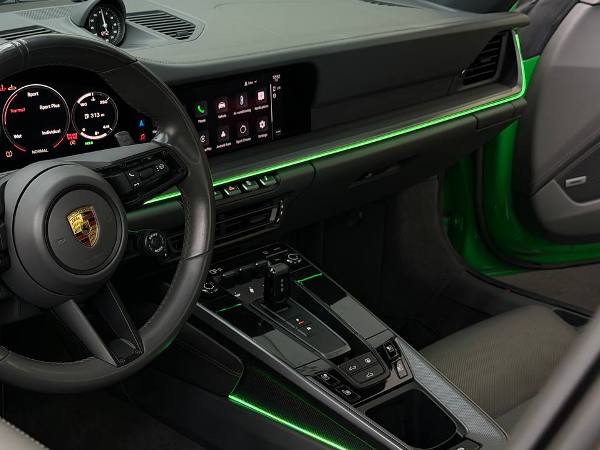
Stepping into a modern luxury vehicle at night feels like stepping into an executive lounge. Subtle ribbons of light trace the dashboard, soft glows illuminate the footwells, and the entire cabin radiates personal style. If your vehicle didn’t come equipped with this feature from the factory, you do not have to settle for a pitch-black interior.
Learning how to set up and customize car ambient lighting allows you to transform your cabin into an immersive driving environment tailored to your exact mood. Whether you want a calming oceanic blue for late-night highway cruises or dynamic pulses synced to your favorite playlist, modern aftermarket systems deliver factory-grade sophistication.
In this comprehensive guide, we will walk you through setting up smartphone app controls, creating multi-zone color profiles, dialing in music synchronization, and avoiding the electrical pitfalls that catch most beginners off guard.
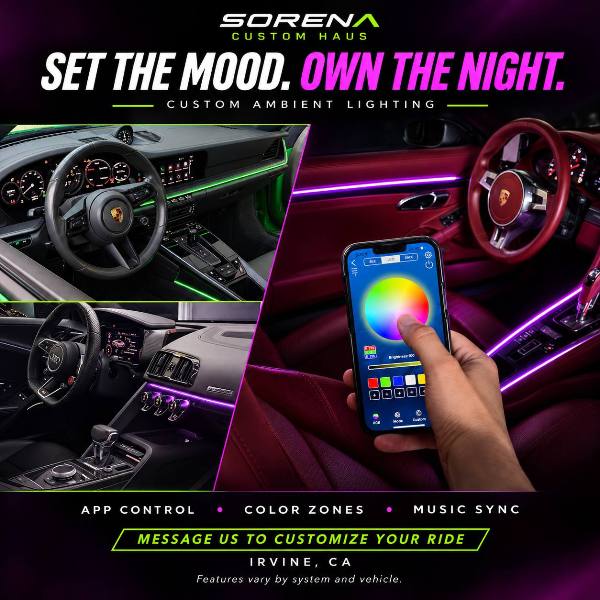
Key Takeaways at a Glance
| Feature / Aspect | App-Controlled Multi-Zone LED/Acrylic | Basic 12V Single-Color Strips | Factory OEM Systems |
| Control Method | Bluetooth / 2.4GHz Smartphone App | Physical inline toggle or remote | In-dash infotainment screen |
| Zoning Capability | Independent multi-zone (doors, dash, footwells) | Single global color across all lights | Dependent on vehicle trim level |
| Light Diffusion | Laser-etched optical acrylic (seamless beam) | Exposed LED beads (visible hot spots) | Recessed optical acrylic piping |
| Audio Sync | Active microphone / CAN-bus sound reactive | Basic sound sensor (erratic pulses) | Native sound-system integration |
| Power Integration | ACC fuse tap with dedicated ground | 12V cigarette lighter plug | Factory wiring harness |
- Connecting and Configuring App Controls
Modern ambient lighting has evolved far beyond cheap sticky strips powered by a 12V cigarette lighter. Premium systems rely on integrated sub-controllers communicating via Bluetooth Low Energy (BLE) directly with your smartphone.
[Smartphone App (BLE)]

│

▼

[Master Bluetooth Sub-Controller] ──(RF Link)──► [Door Sub-Controllers]

│

├──────► [Dashboard Optical Acrylic]

├──────► [Center Console Light Strips]

└──────► [Footwell LED Pods]
To establish a stable connection between your controller and your mobile device:
- Download the Designated Application: Most kits use dedicated control apps (such as LED LAMP, Lotus Lantern, or proprietary manufacturer apps). Scan the QR code located on the central control module rather than searching generic app store names.
- Enable Permissions: Ensure Bluetooth, Local Network, and Location permissions are enabled on your phone. BLE protocols on both iOS and Android require location access to discover local hardware peripherals.
- Pair Through the App, Not Phone Settings: Open the lighting app directly. Do not attempt to pair the module through your phone’s native Bluetooth settings menu; the app must discover and handshake with the controller’s broadcast UUID.
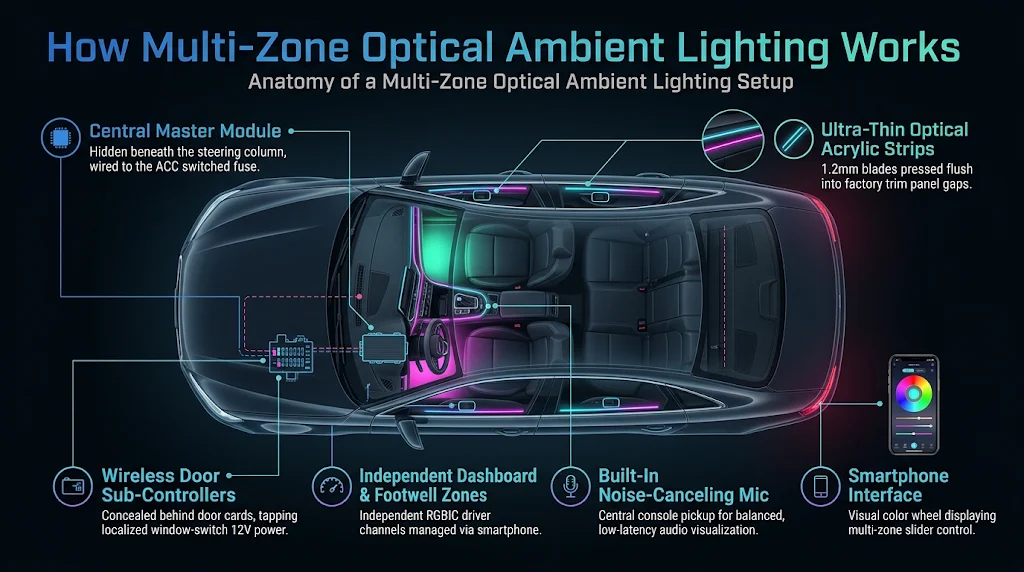
- Name and Assign Sub-Controllers: Quality systems utilize wireless sub-controllers inside each door panel to eliminate the nightmare of routing wires through factory rubber door jamb boots. Group and label each receiver within the app interface (e.g., Driver Door, Passenger Dash, Rear Footwells).
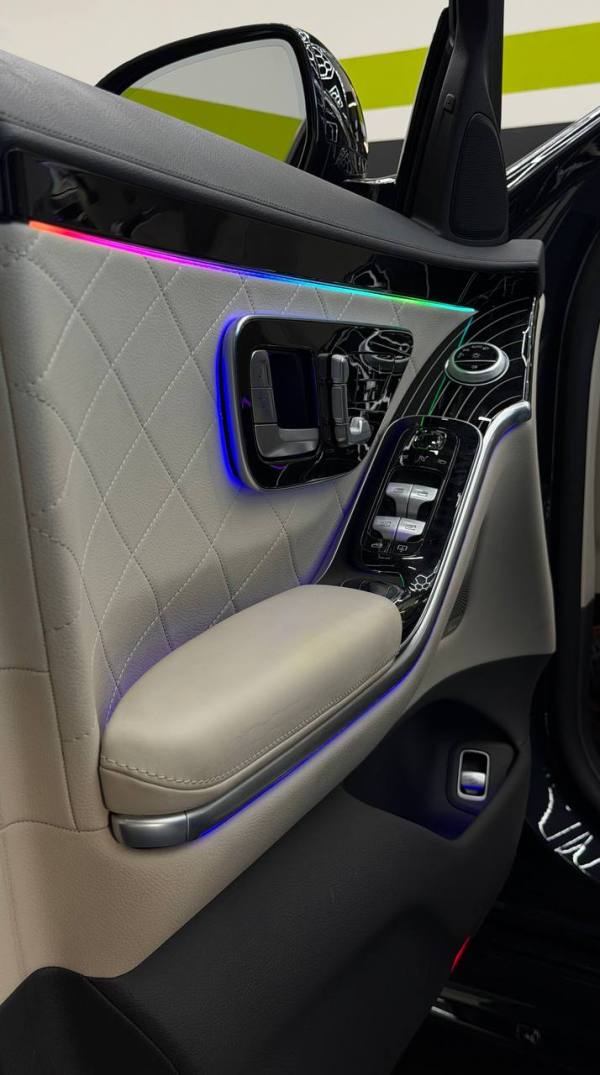
For an in-depth breakdown of pairing interior electronic modules and maintaining reliable wireless signals, read our guide on integrating aftermarket automotive electronics.
- Setting Up Color Zones and Dynamic Themes
The difference between a cheap DIY look and an OEM luxury aesthetic comes down to color zoning and diffusion.
Direct-view LED strips produce harsh glare and distracting “hot spots” along the cabin trim. Professional installations use ultra-thin optical acrylic guides. These guides use microscopic laser etching to emit an unbroken, uniform line of light across the entire length of your dashboard and door cards.
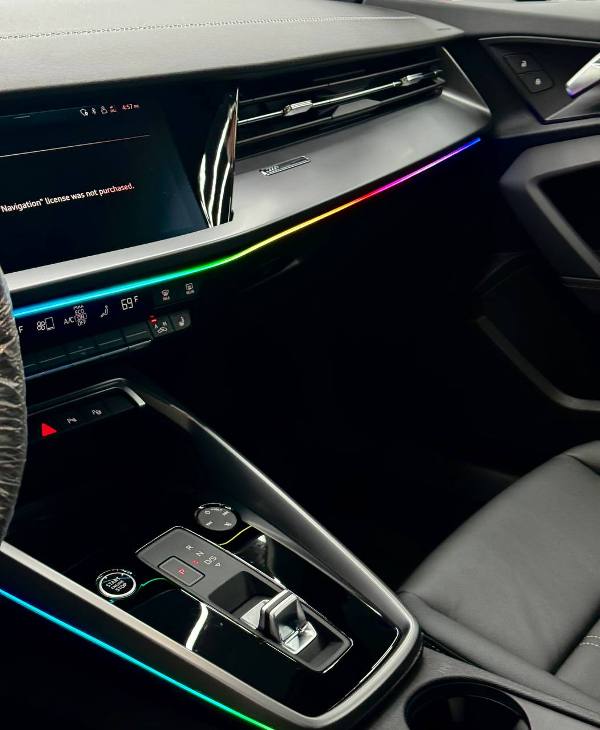
Creating Dual-Zone and Multi-Zone Profiles
Advanced systems offer multi-zone addressability, allowing you to run distinct palettes across different sections of your interior:
- Zone 1: Dashboard and Instrument Cluster: Keep this zone subtle. Opt for deeper hues like warm amber, ice blue, or deep violet to avoid reflecting light against the windshield at night. The National Highway Traffic Safety Administration (NHTSA) emphasizes the importance of minimizing interior visual glare to preserve driver night vision.
- Zone 2: Footwells and Under-Seat Bays: Footwell lighting can handle higher brightness and complementary contrasting colors, such as pairing an emerald green footwell glow with clean white dashboard accents.
- Zone 3: Door Card Contours: Align your door lighting with your vehicle’s factory button backlighting (often crisp ice blue, bright red, or warm white) to create a unified interior appearance.
+--------------------------------------------------------------+

|                    RECOMMENDED COLOR PALETTES                |

+-------------------+--------------------+---------------------+

| Theme             | Primary Zone (Dash)| Accent Zone (Floors)|

+-------------------+--------------------+---------------------+

| Executive Lounge  | Warm Amber (2700K) | Subtle Cognac Gold  |

| Midnight Cyber    | Deep Indigo Blue   | Neon Violet         |

| Nordic Minimalist | Clean Crisp Silver | Slate Charcoal Cyan |

| Motorsport Track  | Matte Crimson Red  | Off-White / Carbon  |

+-------------------+--------------------+---------------------+
Studies published by the National Center for Biotechnology Information (NCBI) highlight that blue-wavelength light stimulates alertness, while warmer red tones help preserve natural scotopic (dark-adapted) vision. Use your app’s scheduling feature to automatically switch from vibrant hues during daytime driving to warm, subdued palettes after sunset.
To explore how interior lighting pairs with upgraded dashboard screens and custom trim, review our tutorial on in-dash infotainment integration.
- Calibrating Music Sync and Sound Reactivity
Dynamic music synchronization brings concert-hall energy into your car, but poorly calibrated setups can result in chaotic, erratic strobe effects that distract the driver.
Internal App Microphone vs. Controller Microphone
Your lighting app will typically offer two input sources for music sync:
- Smartphone Internal Microphone / System Audio: The app reads audio directly from your streaming music (Spotify, Apple Music) or your phone’s microphone. This delivers ultra-low latency but requires the app to remain running actively in the foreground.
- Hardware Controller Microphone: The hardware module contains a miniature audio pickup. This functions independently of your phone, picking up all audio from your vehicle’s stereo system, including radio and auxiliary inputs.
Tuning Sensitivity and Frequency Thresholds
To avoid an overly sensitive light show that reacts to every engine rev or road bump:
- Lower the Mic Gain: Set your hardware microphone gain to roughly 40–55%. This prevents road noise from triggering the light sequence while allowing the system to isolate low-frequency bass notes.
- Select “Pulse” or “Flow” Over “Flash”: Choose breathing or wave-chase animations rather than hard strobe effects. Smooth gradient pulses triggered by low-end bass frequencies provide an engaging visual without creating a hazard on the road.
- Electrical Safety and Professional Wiring Standards
Tapping into an automotive electrical system requires care. Modern vehicles use complex Controller Area Network (CAN-bus) systems that monitor circuit resistance and power draw.
[Vehicle Fuse Box] ──► [Add-A-Circuit Fuse Tap] ──► [In-Line 5A Fuse] ──► [Central Module]

│

[Chassis Ground Bolt] ◄─────────────────────────────────────────────────────────┘
When integrating your lighting controller:
- Always Use an Add-A-Circuit Fuse Tap: Never wrap bare wires around fuse legs. Insert an add-a-circuit tap into an Accessory (ACC) or Switched Ignition slot so the lights shut off completely when the vehicle is turned off, preventing battery drain.
- Establish a Solid Chassis Ground: Terminate the ground wire with a ring terminal bolted directly to unpainted vehicle chassis metal. A loose ground connection creates subtle voltage drops that cause LED flickering and Bluetooth drops.
A great visual aesthetic is only complete when paired with premium sound. Discover how interior acoustics and lighting intersect in our guide to custom car audio system design.
Frequently Asked Questions
Can adding ambient lighting drain my car battery?
If properly wired to an Accessory (ACC) switched power source, ambient lighting will draw zero power when the ignition is switched off. However, if tapped into a constant 12V battery line without an automatic sleep timer, the Bluetooth receiver can slowly drain your battery over several days.
What is the difference between optical acrylic and fiber optic tubing?
Traditional fiber optic cables rely on a single light source at one end that pushes light through clear tubing. Light fades drastically toward the far end, producing uneven illumination. Optical acrylic uses integrated, micro-etched diffusion channels with embedded RGBIC chipsets, delivering uniform brightness from edge to edge with zero hotspot fading.
Are ambient car lights legal to use while driving?
Yes, provided they do not project outward through your windows or distract other drivers. Flashing red, blue, or amber lights visible from the outside can be mistaken for emergency vehicles and violate state traffic codes. Keep dash brightness dialed back to comfortable levels to avoid reflective glare on the windshield.
Can I install ambient lighting without removing my door panels?
While basic floor well strips do not require panel removal, running multi-zone light strips through door trim requires disassembling door cards to properly secure the strips and tap into switched window-switch power lines.
Transform Your Driving Experience with Sorena Car Audio
Customizing your car’s interior lighting creates a refined, personalized cabin that makes every commute enjoyable. But routing delicate optical acrylic along tight trim gaps, hiding modules, and integrating safely with factory electrical systems requires specialized tools and expert craftsmanship.
If you want a flawless, factory-style installation with zero exposed wires, zero trim damage, and seamless smartphone control, trust the experts who specialize in luxury automotive integration.
Bring your vision to life with the premier Sorena Car Audio Ambient Lighting Service and elevate your cabin with precision-engineered, multi-zone lighting today.
Leave A Comment